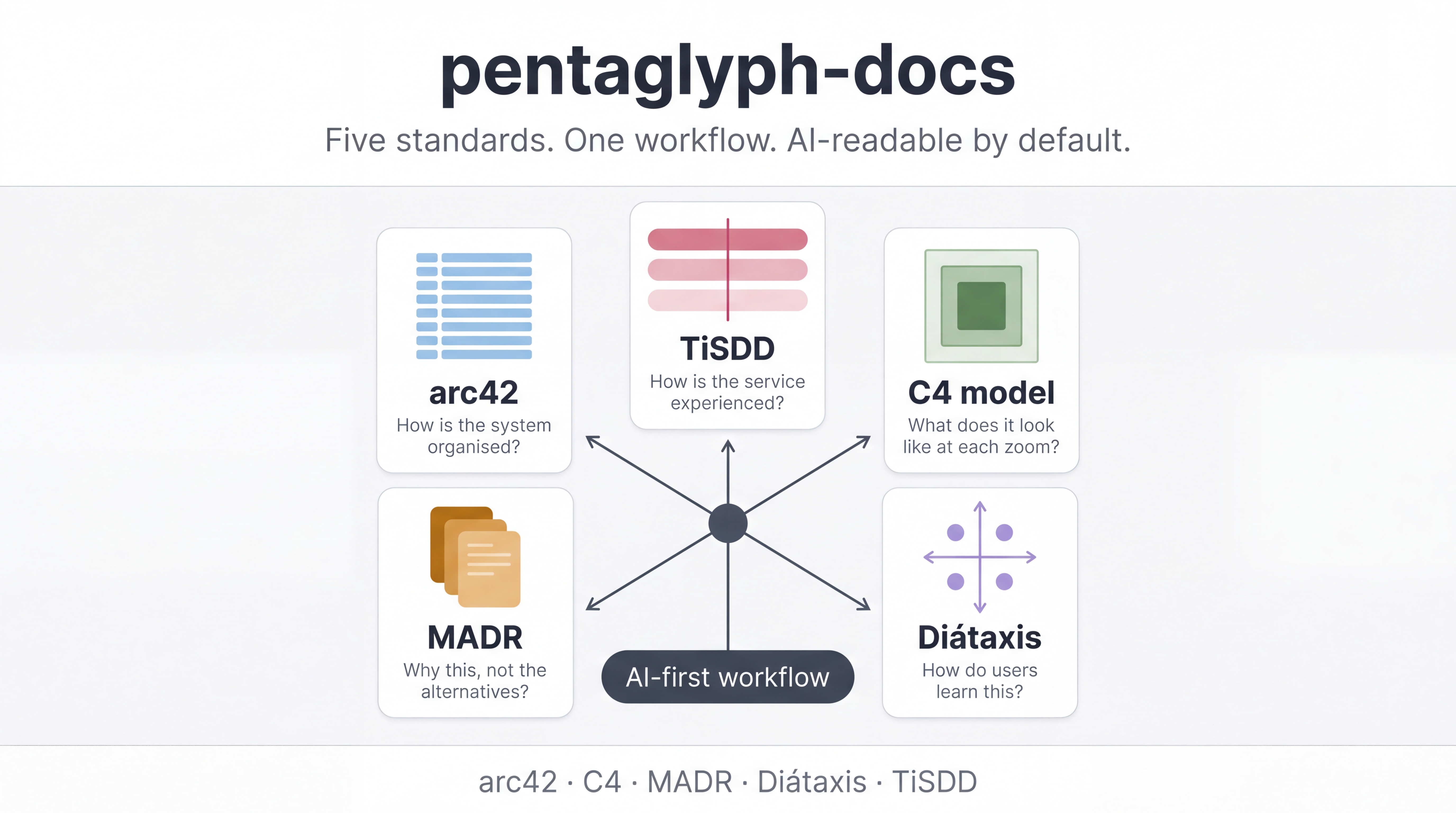
How to use pentaglyph with Claude Code
Problem this guide solves: you have Claude Code installed and a project scaffolded with
pentaglyph init … --ai=claude. How do you actually get Claude to use the kit instead of guessing where docs go?
This is a how-to, not a tutorial. We assume you have already run pentaglyph init once. If not, do the getting-started tutorial first.
- Initialise with
--ai=claude. That installs.claude/rules/documentation.mdas an auto-load rule. - Confirm Claude has read
docs/AI_INSTRUCTIONS.mdonce per session. - Use the four prompts in the prompt cookbook for the recurring jobs: write a doc, audit a diff, review a PR, supersede an ADR.
- When Claude goes wrong, quote
docs/WORKFLOW.mdback at it. Do not argue from memory.
1. Make sure the auto-load rule is installed
Section titled “1. Make sure the auto-load rule is installed”pentaglyph init … --ai=claude should have created:
.claude/rules/documentation.mdThat file is one short pointer telling Claude Code, when you touch docs/**, read docs/AI_INSTRUCTIONS.md and docs/WORKFLOW.md first. Claude Code loads it automatically when the working directory matches.
Verify:
cat .claude/rules/documentation.md | head -20If the file is missing, re-run with --force:
bunx --bun @uyuutosa/pentaglyph init . --profile=standard --ai=claude --forceWhy this matters: without the auto-load rule, Claude treats
docs/as a generic Markdown directory and will happily invent its own layout. The rule is what makes pentaglyph “AI-native” rather than “AI-friendly”.
2. Start the session right
Section titled “2. Start the session right”The first message you send Claude in a fresh session, when documentation work is involved, should anchor it to pentaglyph’s two source files:
“Read
docs/AI_INSTRUCTIONS.mdanddocs/WORKFLOW.md. From now on, follow that protocol whenever you create or modify anything underdocs/.”
You only have to say this once per session. Once Claude has those two files in context, the auto-load rule keeps them in scope for the rest of the conversation.
If you skip this step, Claude may still infer the rules from the auto-load rule alone, but quality is noticeably higher when you have it read the full source files up front.
3. The four recurring jobs
Section titled “3. The four recurring jobs”Almost every documentation interaction with Claude is one of four jobs. Each has a prompt template in the prompt cookbook; the patterns below show what to expect.
3.1 Write a new doc
Section titled “3.1 Write a new doc”You: “I am about to implement OAuth. Write the PRD, then the ADR for choosing OAuth over session cookies, then the Module Detailed Design. Use pentaglyph rules for placement and templates.”
Claude will:
- Read templates 2, 5, and 3.
- Place outputs at
docs/arc42/03-context-and-scope/prds/oauth.md,docs/arc42/09-decisions/NNNN-adopt-oauth.md, anddocs/detailed-design/auth.md(or the equivalent paths yourWORKFLOW.mdresolves to). - Cross-link the three so they reference each other.
If Claude puts them in docs/specs/ or some other invented location, stop and quote: “WORKFLOW.md §1 says PRDs go under arc42/03-context-and-scope/prds/. Move it.”
3.2 Audit a code diff
Section titled “3.2 Audit a code diff”After staging changes:
You: “Look at my staged diff. Does this PR satisfy pentaglyph’s code change → doc change rule? List any doc updates I am missing, and quote WORKFLOW.md §2.”
Claude will:
- Inspect
git diff --cached. - Walk the §2 mapping table.
- Either bless the PR or list missing updates (e.g. “You changed
src/auth/handler.tsbut did not updatedocs/detailed-design/auth.md§3 endpoints”).
This is the single highest-leverage prompt in the whole kit. Run it before every PR.
3.3 Review a PR
Section titled “3.3 Review a PR”For an open PR (yours or someone else’s):
You: “Check feature/oauth against pentaglyph rules. Are templates respected? Is each Accepted ADR untouched? Are front-matter fields valid? Is there an architecture decision made implicitly in code without an ADR?”
Claude will flag:
- Edits to
AcceptedADR bodies (forbidden — supersede instead). - Missing front-matter on durable docs.
- Implicit decisions buried in code that deserve their own ADR.
- Doc updates that drift from the actual code change.
3.4 Supersede an ADR
Section titled “3.4 Supersede an ADR”You: “ADR-0007 said use SQLite. We are migrating to PostgreSQL. Write the new ADR that supersedes 0007, and update 0007’s front-matter to Superseded by NNNN. Do not edit 0007’s body.”
Claude will:
- Pick the next number (e.g. 0024).
- Set
Supersedes: 0007in the new file’s metadata. - Update
0007.md’s front-matter only — leaving the body intact.
The “do not edit the body” instruction is critical and Claude sometimes forgets it. Watch for it on the first run.
4. When Claude goes wrong
Section titled “4. When Claude goes wrong”Two failure modes account for ~80% of incorrect Claude output:
Failure A — invents a new directory. Claude places a doc in docs/specs/ or docs/architecture/ even though WORKFLOW.md does not list those. Fix:
“That path is not in
WORKFLOW.md §1. Re-read the decision tree and pick from the listed locations only.”
Failure B — invents a new template. Claude writes a doc without copying from docs/templates/. The result usually lacks front-matter or has a custom heading order. Fix:
“Start from
docs/templates/N_<name>.md. Do not invent a new shape.”
If both fail twice in a row, the auto-load rule probably is not being picked up. Re-check .claude/rules/documentation.md and your editor settings.
5. Things to not do
Section titled “5. Things to not do”- Do not ask Claude to “remember” pentaglyph rules across sessions — sessions are independent. The auto-load rule + the one-liner in §2 is the whole memory.
- Do not paste WORKFLOW.md content into your prompts — Claude can read the file directly. Pasting drifts.
- Do not let Claude edit an
AcceptedADR’s body. If it does, the file’s audit-trail value is gone. Catch this in PR review. - Do not turn off the auto-load rule for “this one quick PR”. The whole point is that it is on every time.
6. Editor variants
Section titled “6. Editor variants”--ai=cursor and --ai=copilot install equivalent rules at .cursor/rules/docs.md and .github/copilot-instructions.md. Behaviour is identical; only the file path changes. See reference/ai-targets.md for the full matrix.
For agents that have no editor hook (--ai=generic), have the user paste this one line at the start of each session:
“Read
docs/AI_INSTRUCTIONS.mdand follow pentaglyph rules whenever you touchdocs/.”
Related
Section titled “Related”- tutorials/getting-started.md — first-run walk-through
- how-to/prompt-cookbook.md — the full prompt library
- how-to/choose-the-right-template.md — when in doubt about which template
- explanation/why-pentaglyph.md — the philosophy
template/docs/AI_INSTRUCTIONS.md— the AI-side source of truth