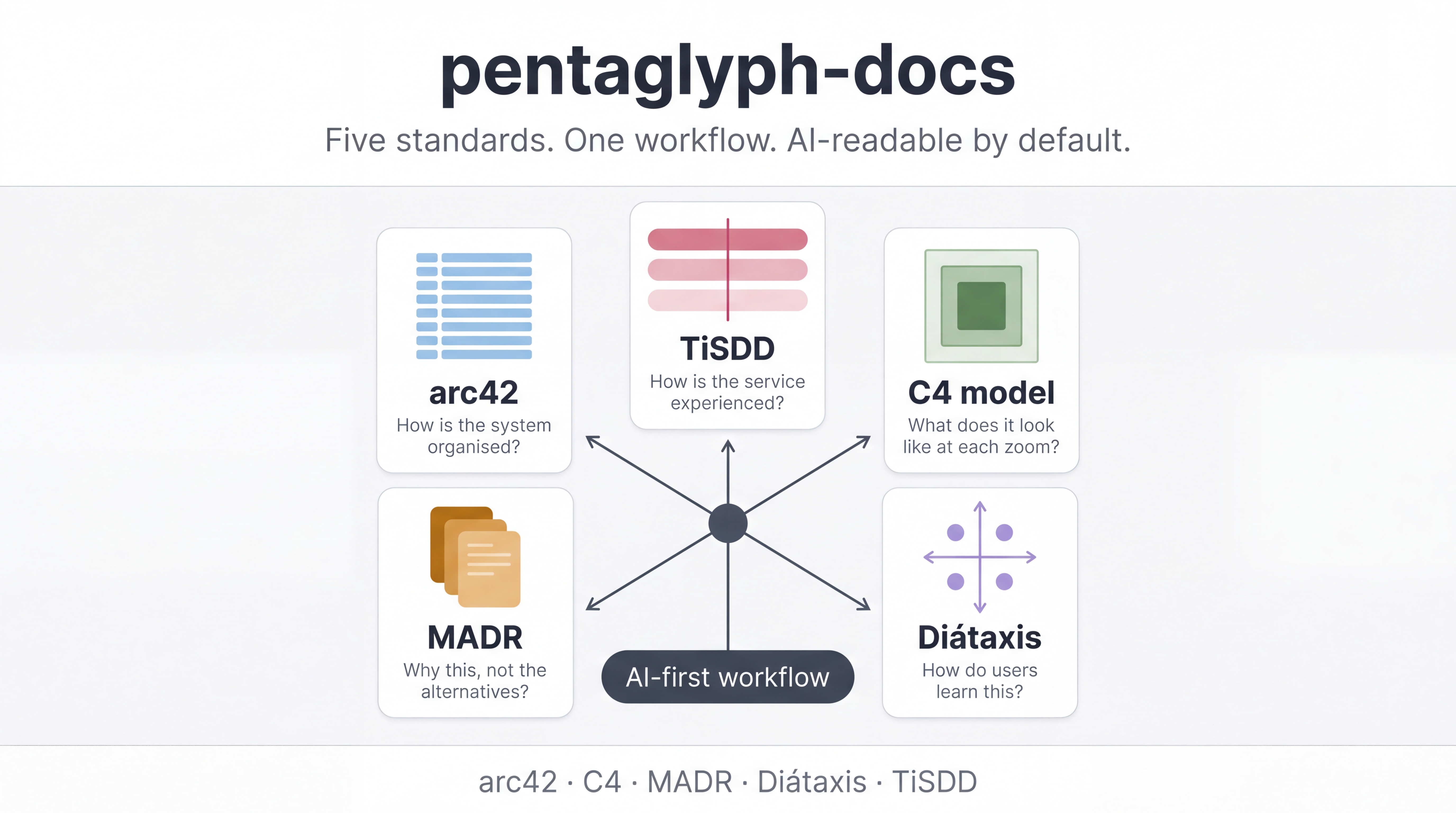
pentaglyph をはじめる(30 分チュートリアル)
このチュートリアルでできること: 新規プロジェクトに
docs/一式を scaffold し、人間と AI エージェントの行動規範が書かれた 2 つのファイルを読み、最初の PRD・ADR・モジュール詳細設計まで書き上げる ―― すべて 30 分程度で。
これは チュートリアル であって、リファレンスではありません。トレードオフや代替案はあえて隠します。目的は 最初の成功体験 です。「なぜそうなっているのか」は後で Explanation セクションを読んでください。
はじめる前に
Section titled “はじめる前に”必要なもの:
- Bun ≥ 1.1 または Node ≥ 20 (CLI はどちらでも動きます)
- エディタ — 理想は Claude Code、Cursor、または GitHub Copilot 付きの VS Code。本チュートリアルの例は Claude Code 前提ですが、他のエディタも auto-load ルールのファイルパスが違うだけで同じように動きます
- 30 分ほどの時間
Bun のバージョン確認:
bun --version。未インストールならcurl -fsSL https://bun.sh/install | bash。
Step 1 — 新規プロジェクトを scaffold する
Section titled “Step 1 — 新規プロジェクトを scaffold する”空のディレクトリならどこでも OK。ここでは ~/tmp/my-app を使います。
mkdir -p ~/tmp/my-appcd ~/tmp/my-appbunx --bun @uyuutosa/pentaglyph init . --profile=standard --ai=claude --name="My App"何が起きたか:
initでdocs/と.claude/rules/documentation.mdが生成されます--profile=standardには arc42・C4 図・detailed-design・API contracts・design-guide・impl-plans・postmortems・reports が含まれます。他のプロファイルは reference/profiles.md を参照--ai=claudeは Claude Code 用の auto-load ルールをインストールし、Claude がdocs/**を触ったときに自動でdocs/AI_INSTRUCTIONS.mdを読むようにします--nameは front-matter の<placeholder>を埋めます
確認:
ls docs/# AI_INSTRUCTIONS.md  WORKFLOW.md  STRATEGY.md  INDEX.md  README.md# arc42/  diagrams/  detailed-design/  design-guide/  api-contract/# impl-plans/  postmortems/  reports/  templates/
ls .claude/rules/# documentation.md
これらのファイルがあれば scaffold 成功です。
Step 2 — 重要な 2 ファイルを読む
Section titled “Step 2 — 重要な 2 ファイルを読む”何よりも先に 以下の 2 ファイルを開いてください。これらが pentaglyph の正本です:
docs/AI_INSTRUCTIONS.md— AI エージェントのエントリーポイント。Claude / Cursor / Copilot に「新しい doc をどこに置くか決めろ」と指示しますdocs/WORKFLOW.md— 配置とライフサイクルの 正本ルール。AI_INSTRUCTIONS.mdが「WORKFLOW.md §Xを見ろ」と言ったときに着地する場所です
暗記する必要はありません。「これらが存在する」ことと、「人間も AI エージェントも同じ 2 ファイルを参照する」ことだけ知っておけば OK です。
便利なメンタルモデル:
AI_INSTRUCTIONS.md → WORKFLOW.md → templates/「pentaglyph リポにいる 「この doc はどこに 「ファイルの形は AI へのプロトコルを 置き、どんな状態 どうあるべきか?」 教える」 遷移をするか?」Step 3 — 最初の PRD を書く
Section titled “Step 3 — 最初の PRD を書く”題材は何でも構いません。ここでは超小さい例 ―― “hello world” 機能: 挨拶を出力する CLI ―― を使います。
このディレクトリで Claude Code を開きます。--ai=claude で auto-load ルールが入っているので、Claude はすでに pentaglyph を知っています。次のように頼んでみましょう:
「
docs/AI_INSTRUCTIONS.mdとdocs/WORKFLOW.mdを読んでから、my-app greet <name>がHello, <name>!と表示する機能の PRD を書いて。pentaglyph のルールで PRD が置かれるべき場所に配置して。front-matter の status は Draft にして」
Claude は以下を実行するはずです:
- 上記 2 ファイルを読む
docs/templates/2_prd.mdを起点としてコピー- 出力を
docs/arc42/03-context-and-scope/prds/greet.md(またはWORKFLOW.md §1が解決する位置)に配置 - front-matter を埋める(
status: Draft、owner、last-reviewed)
もし別の場所に置かれたら、それはプロトコルが守られていないサインです ―― 優しく WORKFLOW.md §1 を引用して指摘しましょう。ほぼ起きないはずです。
ヒント: 最初は PRD を手で書かないでください。Claude がどう配置するかを観察するほうが、ルールを読むより速く学べます。
Step 4 — 最初の ADR を書く
Section titled “Step 4 — 最初の ADR を書く”PRD は 何 / なぜ に答えます。ADR は なぜこの技術選択 に答えます。ささいな決定で行きましょう: 「stdout に出力する。stderr ではない」。
Claude に頼みます:
「
my-app greetが stderr ではなく stdout に出力する、という決定の ADR を作って。MADR v3.0 テンプレートを使う。docs/arc42/09-decisions/の下に、次に使える NNNN プレフィックスで配置。Status はProposed」
Claude は以下を実行します:
docs/templates/5_adr.md(MADR テンプレート)を見つける- 次に使える番号を選ぶ(新規ツリーなら
0001のはず) - MADR の 4 セクションを埋める: Context(背景)・Decision(決定)・Consequences(帰結)・Alternatives(代替案)
ADR は意図的にミニマルな見た目になります ―― それが MADR v3.0 として正しい姿です。要点は 決定とその代替案を記録すること であって、エッセイを書くことではありません。
これが後で効く理由: 半年後に「なぜ stdout なんですか?」と聞かれたとき、答えはファイル 1 件の lookup で済みます。デジャブ的な議論が消えます。詳しい議論は explanation/why-pentaglyph.md を参照。
Step 5 — 最初のモジュール詳細設計を書く
Section titled “Step 5 — 最初のモジュール詳細設計を書く”次は どう作るか: greet コマンドの実装仕様です。
Claude に頼みます:
「
greetコマンドのモジュール詳細設計を書いて、Template 3 を使う。docs/detailed-design/greet.mdに配置。docs/arc42/05-building-blocks/から building-block の子としてリンクする」
Claude は次を含むファイルを生成します:
- 入力 / 出力 / エラー
- CLI フラグの正確なリスト
- 小さな runtime シーケンス(または既存 use-case へのリンク)
- Step 3 の PRD と Step 4 の ADR への相互リンク
これで 3 つのドキュメントが互いを参照するようになりました: PRD ↔ ADR ↔ Module DD。これが pentaglyph の アーキテクチャ・スパイン(背骨) です。
Step 6 — コード変更とドキュメント変更を同じ PR で扱う
Section titled “Step 6 — コード変更とドキュメント変更を同じ PR で扱う”ここが pentaglyph の核です。
実際に my-app/src/greet.ts を書きます:
export function greet(name: string): string { return `Hello, ${name}!`;}同じ PR の中で、Step 5 で書いた挙動 / インターフェイスと差異があれば docs/detailed-design/greet.md を更新しなければなりません。仕様通りに実装したなら、last-reviewed の日付だけ更新すれば OK です。
もし doc 更新を忘れたら、次のレビュアが指摘します ―― それが WORKFLOW.md §2 Code change → doc update mapping の役割です。
Claude に検証を頼みます:
「私の staged diff を見て。この PR は pentaglyph の code change → doc change ルールを満たしてる?
WORKFLOW.md §2を引用して、足りないものがあれば教えて」
Claude が diff をスキャンして、PR を承認するか、足りない doc 更新を列挙します。これが pentaglyph が築こうとする最も重要な習慣です。
Step 7 — 次にどこへ行くか
Section titled “Step 7 — 次にどこへ行くか”おめでとうございます。あなたは PRD・ADR・Module DD・コードの 4 文書スパインを持つ、動く pentaglyph プロジェクトを手に入れました。次のステップ:
- 「どのテンプレートを使うべきか?」という疑問によく出会うはず。次の doc を書く前に how-to/choose-the-right-template.md を読む
- Claude をもっとうまくプロンプトしたい。how-to/prompt-cookbook.md に高レバレッジなプロンプトをまとめてあります
- 別のプロファイルが欲しい。reference/profiles.md で
minimal/standard/fullを解説しています - 既存プロジェクトに導入したい。how-to/adopt-existing-project.md が段階的導入の道筋を示します ―― 1 PR で pentaglyph を一気に被せようとしないでください
- 設計思想を理解したい。explanation/why-pentaglyph.md
あえて飛ばしたこと
Section titled “あえて飛ばしたこと”チュートリアルは意図的に複雑さを隠します。今回扱わなかったもの:
- C4 図(
docs/diagrams/c4/workspace.dsl) ―― 有用ですが初回には不要 - 揮発性 docs(
impl-plans/・postmortems/・reports/) ―― How-to ガイドで扱います Draft以外のライフサイクル状態(Review/Done/Superseded) ――WORKFLOW.md §4を参照user-manual/配下の Diátaxis 四象限 ―― これは あなたの エンドユーザー向け docs 用で、pentaglyph 自体のものではありません- 他の AI ターゲット(
--ai=cursor/copilot/generic) ―― 動作は同じで、auto-load ファイルのパスだけが違います
これらに手を伸ばしたくなったら、あなたは how-to / reference / explanation の領域に入っています。ようこそ。